Use MailMan with Claude Code.
Account listing and bounded Gmail search verified with a personal token and an existing connection. Review the scope below before connecting.
Connect through the existing service.
DEMO · Synthetic account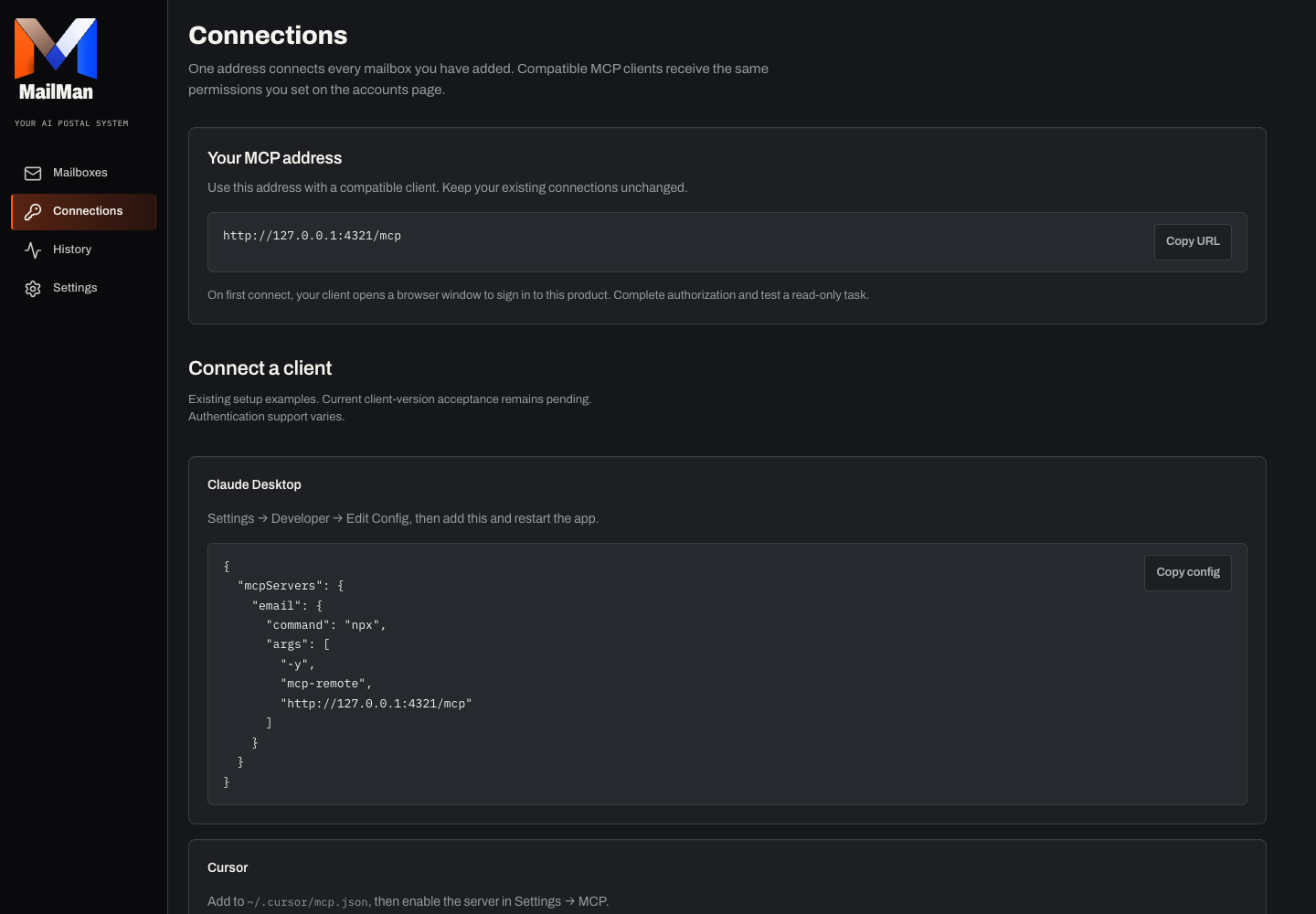
Separate sign-in and authorization
Sign in to MailMan, connect a mailbox and review its permissions.
Open Connections and copy the actual MCP address.
In a client version and plan supporting remote Streamable HTTP and compatible OAuth, add the connection and complete browser authorization. Otherwise use a supported personal-token connection; never paste the token into chat.
List authorized email accounts, select one and try a read-only search. Inspect source identity, permission failures and any partial results.
Before relying on it
Verified on October 21, 2026: Claude Code 2.1.306 listed authorized accounts and ran a bounded Gmail search using a personal access token and an existing mailbox connection. This check used an existing grant. New OAuth connections, provider reconnection, other clients and providers, full messages, attachments, sending and hosted Routes were not verified by this check.
Troubleshooting and revocation
If authorization does not finish, verify the client transport/authentication support. Revoke its personal token or authorization when no longer needed; disconnect mailbox credentials separately.

YOUR INBOXES.
UNDER CONTROL.
Get started Start with a free account and one read-only search. Existing accounts keep their connection.